Washer and dryer monitoring in Home Assistant with smart plugs
I work from home, and with a family there is at least one load of laundry a day. I’ll start a load, get distracted by work, and forget to move it. So I wanted to know when the washer and dryer in our garage start, when they finish, and how much time is left.
Both are ordinary non-connected machines. We rent, and they come with the unit, so swapping in “smart” ones wasn’t an option.
A smart plug with energy monitoring gets you most of the way there. A washer or dryer draws a recognizable amount of power over a cycle, and a custom integration called WashData in Home Assistant turns that into start, finish and time remaining. I have now had it running for a few weeks.
#The hardware
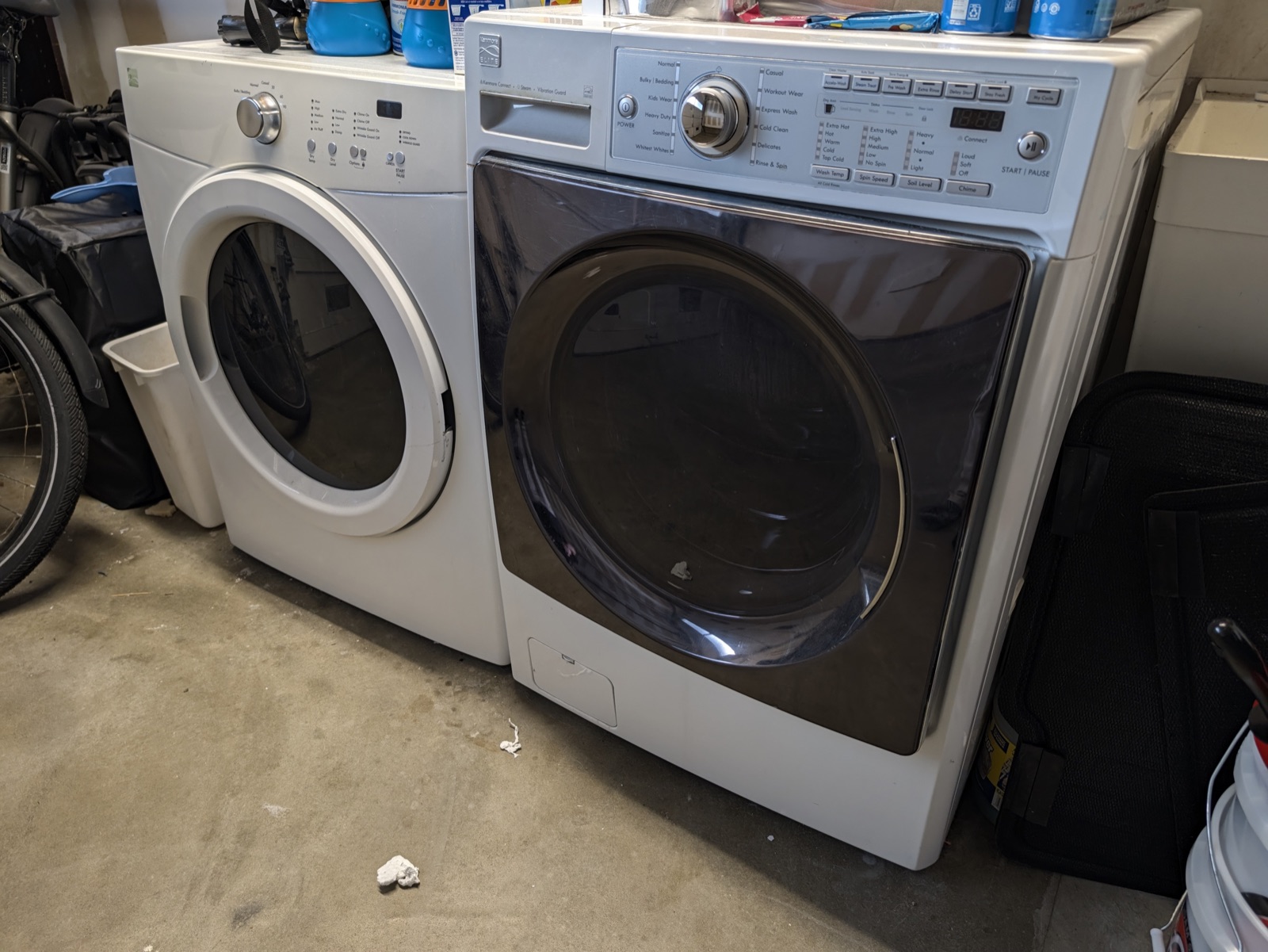
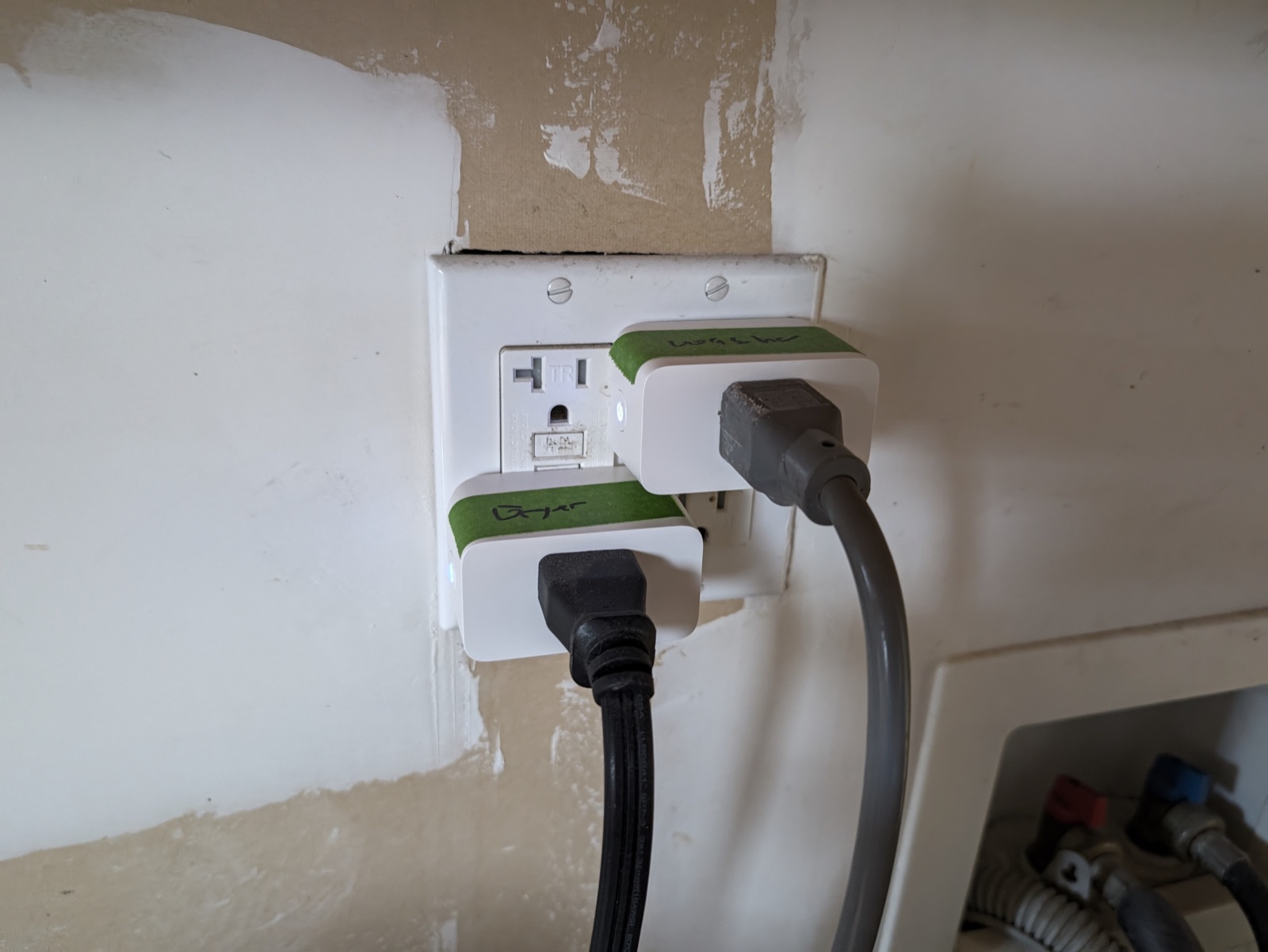
One Tapo P110M smart plug per machine, between the wall outlet and the appliance. I added them to Home Assistant over Matter instead of the Tapo cloud integration, so everything stays local. Each plug reports power, voltage, current and cumulative energy, and updates about every 10 seconds.
The dryer runs on gas, so the plug only sees the drum motor and controls. That’s why it peaks around 700 W. The washer peaks around 430 to 570 W. An electric dryer on 240 V pulls several kW and could never go through a plug like this.
#The software
WashData is a custom integration, so it isn’t part of Home Assistant itself. I installed it through the Marketplace (formally HACS but it is now built into Home Assistant as of 2026.11) Once it’s installed, WashData watches a plug’s power sensor, detects when a cycle starts and ends, and estimates how much time is left. It can also send notifications on its own.
You add one entry per appliance. Mine look like this:
1Washer
2  device type:  washing_machine
3  power sensor: sensor.garage_washing_machine_power
4  min power:    2 W
5
6Dryer
7  device type:  dryer
8  power sensor: sensor.garage_dryer_power
9  min power:    2 W
That’s the required part: pick a device type, pick the power sensor, set a minimum power. I also set my electricity price ($0.226/kWh, my PG&E off-peak rate 💸) so it can put a cost on each cycle, and I use Pushover to alert my phone when a cycle starts and when it ends. The finish message is a template:
1{device} finished. Duration: {duration} min.
#It learns your cycles
After a few runs WashData starts recognizing cycles and offering suggested settings. In the first five days the washer logged 11 cycles (1.23 kWh) and the dryer logged 8 (2.58 kWh). A typical washer cycle runs about 43 minutes and a typical dryer cycle about 91.
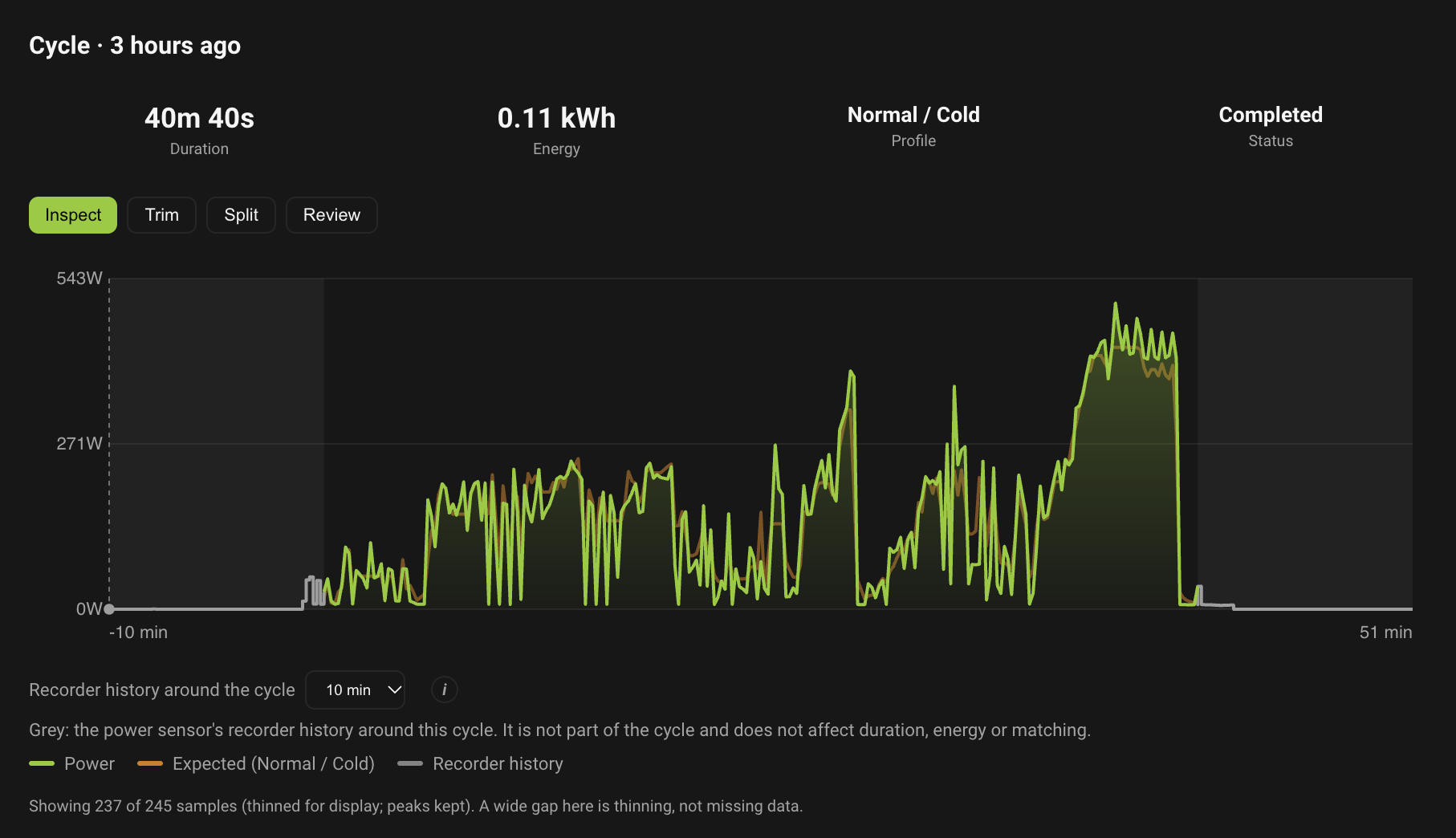
Here is what a single cycle looks like in the WashData panel. The green line is the power the plug measured and the brown line is what WashData expected for that cycle profile. This washer cycle was the “Normal / Cold” profile: 40 minutes, 0.11 kWh, and the highest power of the run comes at the end.
The dryer is much flatter. This one was the “Low” profile, 1 hour 29 minutes and 0.33 kWh, sitting around 200 W with a spike up to 400 to 700 W every so often.
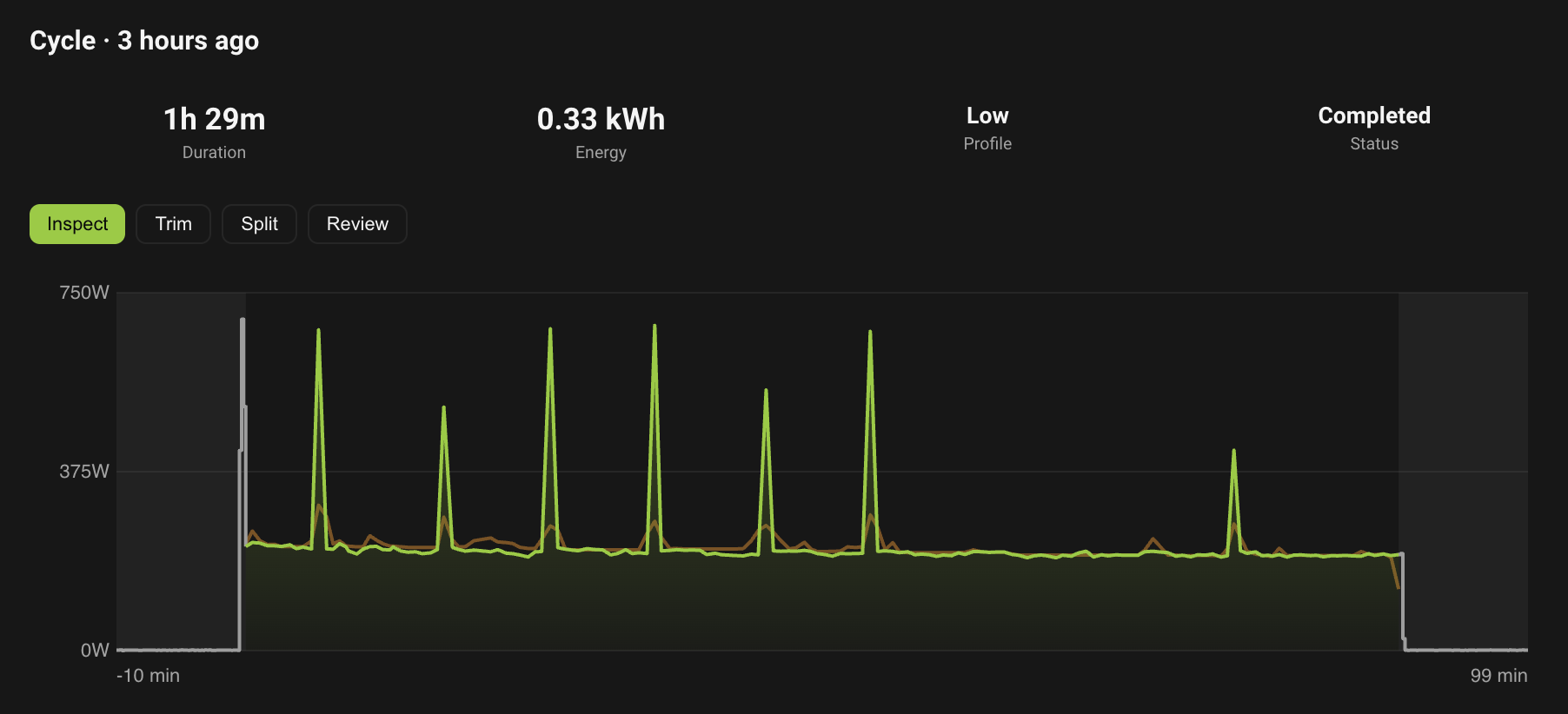
The expected line tracks the real one pretty closely on both.
#Does it help
Yes. I get a notification on my phone when the washer or dryer finishes, so I no longer have to remember to go check. That was the whole point, and it works better than I expected. Next I want to figure out how to announce it on the smart speakers around the house, so the rest of the family hears it too.